
Performance
Migrating from Page Builders to a Custom WordPress Theme in 2026
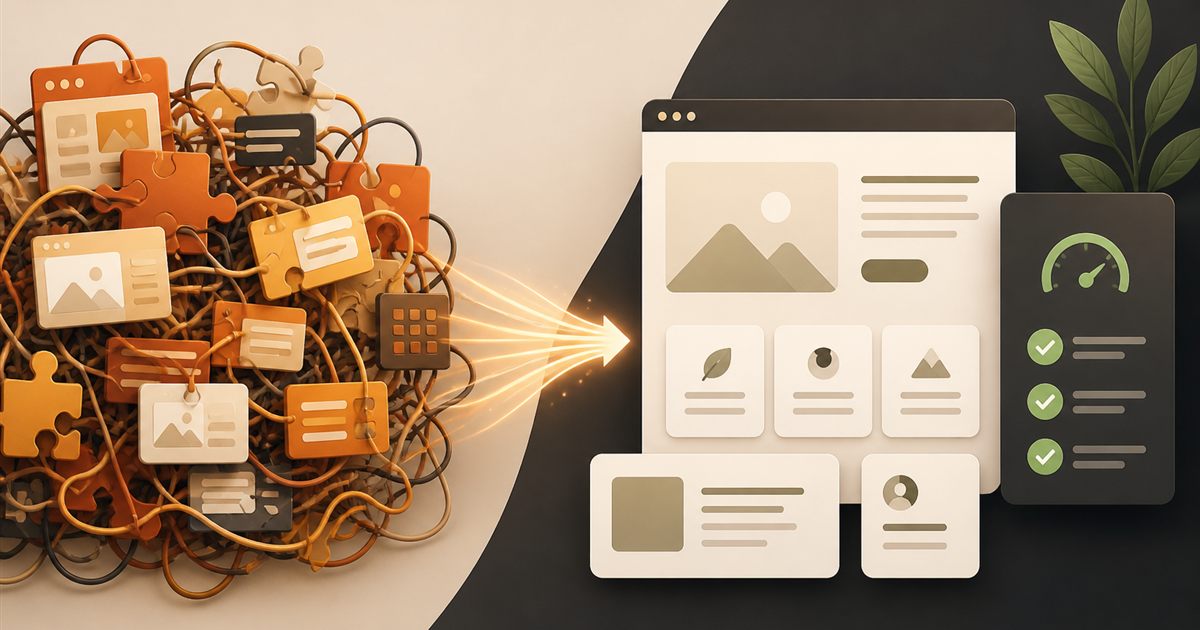
Page builders helped millions of businesses launch WordPress sites without writing code. In 2026, many of those same sites have hit a wall: slow mobile scores, fragile layouts, plugin conflicts, and revision nightmares. The question is no longer “Can Elementor or Divi build this?” — it is “Should we keep paying the performance and maintenance tax?”
At BinarySolz, we migrate marketing sites and content hubs from heavy page builders to lean custom WordPress themes. This guide explains when migration makes sense, what the process looks like, how SEO is protected, and what to expect on cost and timeline.
If you are still choosing a platform, start with WordPress vs Shopify vs Webflow. For speed targets after migration, read our Core Web Vitals guide.
What we mean by “page builder”
Common tools: Elementor, Divi, WPBakery, Beaver Builder, Brizy, and similar visual builders. They store layouts as shortcodes, JSON, or custom post meta and inject large CSS/JS stacks on the front end.
They are not “bad software.” They are the wrong long-term architecture for many business sites that need speed, maintainability, and clean code ownership.
Signs you have outgrown your page builder
- Mobile LCP over 3–4 seconds even after caching and image plugins
- Editor lag — designers wait seconds between every change
- DOM bloat — nested wrappers for every section, column, and widget
- Global CSS/JS weight — builder assets load site-wide whether needed or not
- Design drift — every page looks slightly different; no real design system
- Developer fear — “don’t touch that page or it breaks”
- License and stack costs — builder + add-ons + hosting upgrades to compensate for bloat
If three or more apply, a custom theme rebuild is often cheaper over 24 months than endless optimization patches. Related: premium vs free plugin strategy.
Page builder vs custom theme: honest comparison
| Factor | Page builder site | Custom theme |
|---|---|---|
| Time to first draft | Fast for non-developers | Slower upfront; faster long-term iteration once patterns exist |
| Core Web Vitals | Harder to pass on mobile | Excellent with lean architecture |
| Design consistency | Depends on discipline | Enforced via components and templates |
| Developer handoff | Fragile, proprietary markup | Clean PHP/HTML/CSS/JS you own |
| Content editing | Visual, flexible | Block editor + custom fields — still editable for marketers |
| Vendor lock-in | High | Low |
When you should stay on a page builder (for now)
- Very small brochure site (5–8 pages) with low traffic and no growth plan
- Budget cannot support a rebuild this quarter — optimize hosting and images first
- Non-technical owners must redesign pages weekly without any developer access
- You are planning a full platform change (e.g. to Webflow) within 6 months
For design-led marketing sites where no-code speed matters more than WordPress depth, compare options in our Webflow vs WordPress guide.
When migration to a custom theme is the better investment
- Traffic is rising and Core Web Vitals are failing in Search Console
- Paid ads land on slow builder pages — you are burning conversion
- You need custom post types, calculators, memberships, or integrations builders cannot cleanly support
- Multiple freelancers have stacked conflicting templates and widgets
- You want a 2–3 year platform, not another temporary patch
Our migration process (BinarySolz)
Phase 1 — Audit
- Inventory pages, templates, and builder widgets in use
- Measure LCP, INP, CLS, page weight, and plugin list
- Map SEO: titles, metas, redirects, structured data, index coverage
- Identify must-keep content vs redesign opportunities
Phase 2 — Information architecture and design system
- Define reusable sections (hero, features, FAQ, CTA, cards)
- Figma or style guide for typography, spacing, and components
- Decide block editor patterns vs ACF/custom fields for editable areas
Phase 3 — Custom theme build
- Lean theme (no page builder dependency)
- Semantic HTML, minimal CSS, conditional JS
- Block patterns for marketing pages editors can assemble safely
- Performance budget: image rules, font loading, caching strategy
Phase 4 — Content migration
- Rebuild priority templates first (home, services, blog, contact)
- Preserve URLs or set 301 redirects
- Migrate media with correct dimensions and WebP/JPEG optimization
- Rebuild forms with the same fields and spam protection
Phase 5 — QA and launch
- Cross-browser and mobile QA
- Redirect map verification
- Search Console + analytics recheck
- Staging approval, then cutover
Typical timeline for a mid-size marketing site: 3–6 weeks, depending on page count and design readiness.
Will migration hurt SEO?
Done correctly — no. Done carelessly — yes. We protect rankings by:
- Keeping high-value URLs stable whenever possible
- Full 301 redirect map for changed slugs
- Matching or improving title/H1/meta and internal links
- Faster Core Web Vitals (often a ranking and UX win)
- Preserving schema where it existed; adding FAQ/Organization where useful
Content quality still matters more than the builder. Migration is a chance to clean thin pages and strengthen internal linking across your Insights hub.
What happens to content editing after you leave Elementor?
Marketers do not lose the ability to update content. They lose the ability to invent 47 unique layout systems per page.
- Native block editor for copy, images, lists, and embeds
- Reusable block patterns that match your brand sections
- Custom fields for structured pages (services, team, case studies)
- Clear guidelines — what editors can change vs what needs design/dev
Most teams prefer this once they see how much faster pages load and how fewer things break.
Cost: rebuild vs more plugins and hosting upgrades
| Path | Year 1 reality |
|---|---|
| Keep builder + more speed plugins + better hosting | Recurring spend, limited ceiling |
| Custom theme migration | Higher one-time cost, lower ongoing friction |
Agency custom theme migrations commonly range $3,000–$10,000+ depending on page count, design, WooCommerce, and integrations. Cheap “theme swaps” that ignore content and redirects usually create SEO debt.
Common migration mistakes
- Deleting the builder before content is rebuilt and redirects verified
- Copy-pasting builder markup into the new theme
- Ignoring mobile redesign — desktop-only Figma
- Leaving 30 unused plugins “just in case”
- No staging — editing live during cutover
Next steps
Stuck on Elementor or Divi with declining PageSpeed scores? We audit your site, estimate migration scope, and rebuild a custom theme that your team can still edit — without the bloat.
Explore our custom WordPress services or book a free strategy call.
Frequently Asked Questions
Should I migrate from Elementor to a custom WordPress theme?
If your site is slow on mobile, hard to maintain, or business-critical for leads and SEO, a custom theme often delivers better Core Web Vitals and lower long-term maintenance than stacking more optimization plugins.
Will leaving a page builder hurt my Google rankings?
Not if URLs, redirects, titles, and content are handled carefully. Many sites improve rankings after migration because pages load faster and markup is cleaner.
Can marketers still edit pages without Elementor?
Yes. The block editor, reusable patterns, and custom fields let teams update copy and sections without a heavy visual builder.
How long does a page builder migration take?
Most mid-size marketing sites take 3–6 weeks from audit to launch. Larger content sites or WooCommerce stores can take longer depending on templates and integrations.
Do I need new designs before migrating?
Not always. You can rebuild close to the current design for speed gains, or refresh the design system in Figma for a stronger brand and conversion outcome.
What happens to my Elementor templates and widgets?
They are replaced with theme templates and block patterns. Content is migrated; the proprietary builder shortcodes and widgets are not carried forward.
Is a custom theme more expensive than keeping Elementor?
Upfront, yes. Over 1–2 years, many businesses spend more on hosting upgrades, add-ons, and lost conversions than a one-time custom rebuild would have cost.
Can BinarySolz migrate my Elementor or Divi site?
Yes. We audit, rebuild a lean custom theme, migrate content with SEO protections, and hand off an editable, fast WordPress site. Contact us for a free strategy call.
Continue reading
Plugins
Why Premium Custom WordPress Plugins Outperform Free & Freemium Alternatives
Free vs premium WordPress plugins in 2026: security, performance, support, and when custom development beats freemium stacks — from the...
· 4 min read

Performance
WordPress Speed Optimization Mastery: Core Web Vitals Guide for 2026
Improve WordPress speed and Core Web Vitals in 2026. Actionable LCP, INP, and CLS fixes — hosting, caching, images, plugins,...
· 7 min read
Development
Building Custom WordPress Plugins with React: A Practical Guide for Developers
Learn how to build custom WordPress plugins with React — block editor integration, architecture patterns, tooling, and production tips from...
· 6 min read